QRStuff has been generating QR codes since roughly 2008, which makes it older than most of the tools in our index and older than the QR boom itself. Age shows in both directions. The type coverage is among the broadest we have tested, and the company publishes a scan-data report built from sixteen years of operation that most competitors could not produce. It also shows in the way the free product is packaged, which is where this review has to spend most of its time.
Our methodology asks one blunt question of every free tier: what, exactly, does the file you download contain? For QRStuff the answer surprised us twice in the same afternoon.
We decoded the free download. It isn’t your URL.
On August 18, 2026 we ran the generator as any first-time visitor would: typed a test URL we control, kept every default, clicked through the four steps, and downloaded the free PNG. No account, no email, no payment. So far the homepage promise holds.
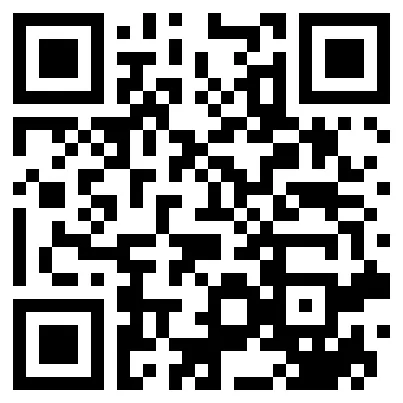
Then we decoded the file. The code does not contain our URL. It contains
https://qrs.ly/t1hgu6q, a short link on QRStuff’s redirect domain, which
currently forwards to our test page with a 302.
The mechanism is two toggles in the first step, Update Later and Enable Analytics, which arrive pre-checked. Checked, they route your code through QRStuff’s servers, which is what makes destinations editable and scans countable. That is normal engineering for a dynamic code. What is not normal is the position this puts an anonymous user in: the code depends on QRStuff’s redirect infrastructure, but with no account there is no way to ever edit the destination, see the analytics, or manage the code. You carry the availability risk of a dynamic code and hold none of its benefits.
The homepage table markets the free tier on the opposite architecture: “Static QR codes (unlimited scans, never expire)” sits in the Free column with a checkmark. So we went back and asked the generator for exactly that.
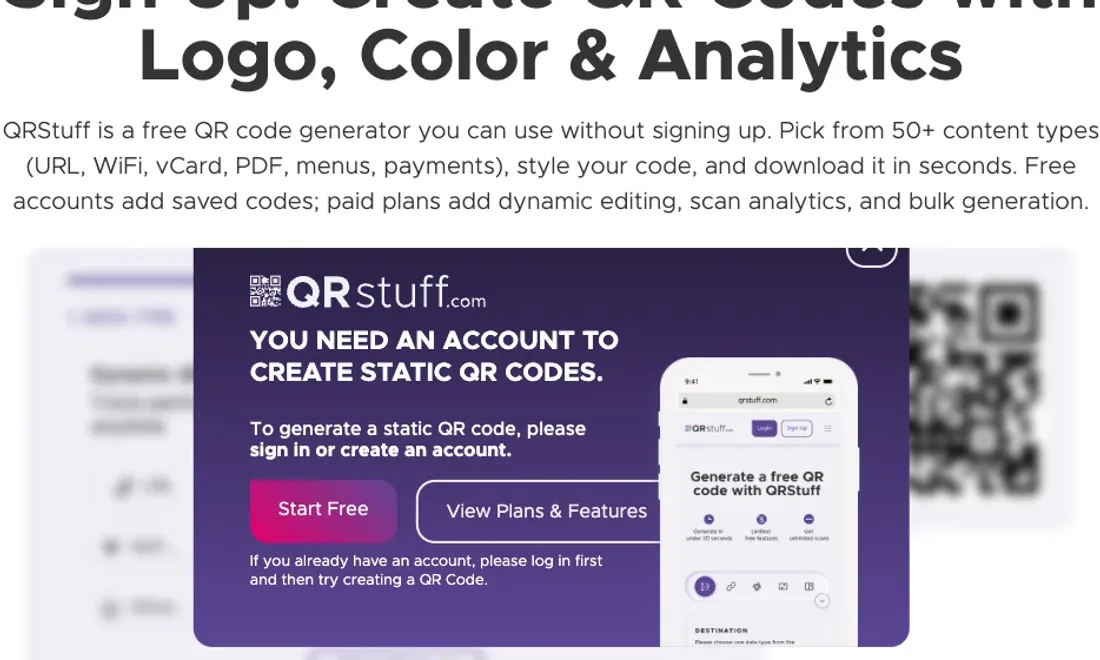
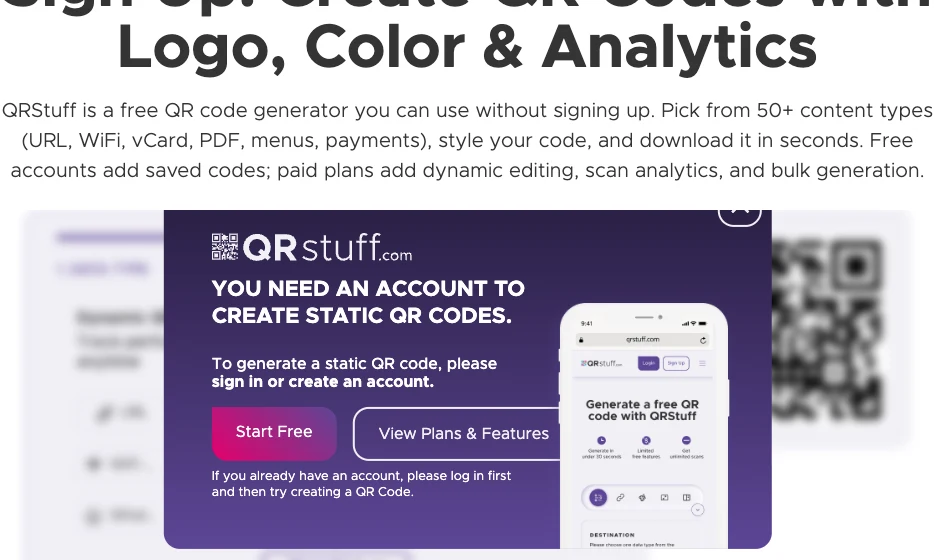
Asking for a static code opens a paywall for your email address
We unchecked both toggles, requesting a code with our URL written directly into the pixels, the kind nothing server-side can break. The generator answered with a modal, reproduced below because we would not have believed a description of it.
“You need an account to create static QR codes.” The sentence deserves a moment. Static codes are the cheap ones, the ones that cost the vendor nothing to serve because there is nothing to serve; every other free generator we have tested hands them out without conditions, and several make them their entire product. QRStuff gates them behind registration, and the free account that registration buys is capped at 5 static codes. The expensive-to-run product, the tracked redirect, is what anonymous visitors get by default.
We have documented download-time bait elsewhere in the index, including QR Tiger’s download button that opens a payment page. This is a different species: the flow works, the download is real, but the deliverable has been quietly substituted.
Seven days to live, ten scans allowed
What happens to that anonymous qrs.ly code afterwards is not in the generator, or next to the download button, or in the plans table. It is in the FAQ, in plain sentences we quote verbatim as read on August 18, 2026:
“QR Codes created anonymously expire after 7 days.”
“Free (No Sign-Up): 10 scans per code.”
Set those against the banner directly above the generator, on the same site, the same day: “no sign-up, unlimited scans, your QR code is ready to download and print.” Both statements cannot describe the same product. A code that stops resolving after a week is not ready to print, and ten scans is not a generous reading of unlimited.
The ladder their FAQ actually describes looks like this. Anonymous: 7 days, 10 scans per code. Free account: 30 days, 50 scans, 5 static codes. Lite at $10 a month: 50 dynamic codes, 200 scans per code. Unlimited scans begin at the $25 Full Suite. And when a scanned code exceeds its quota, the person scanning it sees a “Scan Quota Exceeded” error; the FAQ’s remedy is to buy a subscription and then email support to have the cap lifted on the old code.
For calibration: QRfy, whose free-code expiry we have called the trap tier’s signature move, holds free codes for three months. QRStuff’s anonymous window is one-thirteenth of that. As far as our index goes, seven days is the shortest advertised lifespan we have documented for anything labeled free.
The pricing page, read closely
Monthly prices are $0, $10, $25 and $250, with yearly billing about 10% cheaper. Three details reward attention.
First, the Free card lists “30 days QR code expiration” with a green checkmark, typeset identically to the benefits around it. Somebody designed the death of your code as a feature bullet.
Second, Lite’s “No QR code expiration*” ends in an asterisk that resolves to nothing anywhere on the page. The FAQ supplies the missing footnote: paid codes “never expire provided the subscription continues to be paid for.” The plainer wording would be that codes are rented.
Third, what happens after cancellation depends on which page you ask. One FAQ answer says codes expire 30 days after the subscription lapses; another says codes on annual plans survive a year; a third describes a 10-scans-per-month cap on a lapsed account’s codes. The cancellation mechanics in the terms are similarly exact in an unexpected direction: refund requests bring your expiry date forward by 19 or 36 days depending on the plan. We could not reconcile these rules into one policy, and we suspect support tickets are where the reconciliation happens.
We also note, for buyers comparing entry prices on our pricing index, that the $10 Lite tier’s 200-scan cap makes it hard to compare like for like: most tools at that price meter nothing. The scan caps, not the sticker prices, are QRStuff’s real pricing model.
The product underneath is better than the packaging
Strip the free-tier theater away and a capable platform remains; pretending otherwise would be its own kind of distortion.
The data-type list runs to 43 entries, the longest we have catalogued: beyond the usual URL, WiFi, vCard and PDF, there are payment types (UPI, PayPal, Venmo, Zelle), forms, attendance tracking, and digital business cards. QRStuff is also one of the few tools in the index with a GS1 Digital Link generator, which matters to anyone watching retail barcodes migrate to QR ahead of GS1’s Sunrise 2027 window. Bulk generation scales from 50 to 500 codes per batch, an API opens at the Full Suite, and password-protected codes arrive at Lite. The styling step is real: logo upload to 5 MB, frames, shapes, color and gradient control, available even to anonymous users.
Two honest caveats inside the good news. The free download, besides being a redirect, is a 405x405-pixel image at 72 dpi; at print resolution that is a 3.4-centimeter square, which strains the homepage’s “high-resolution downloads” and “print-ready” language. Vector formats, SVG, EPS, PDF and DXF, sit behind crown icons on paid plans; the DXF option is a rarity we have not seen elsewhere, and drafting-software users will care. And the analytics, real-time with device, location and time plus PDF and Excel exports, are shadowed by the same quotas as everything else; even the $250 Enterprise card lists “Limited Analytics” among its features, a phrase we choose to read as accidental candor.
The State of QR Codes report deserves its own sentence: sixteen years of first-party scan data, published with a methodology chapter and citation-ready formatting. It is marketing, but it is also the kind of primary data almost nobody in this market bothers to publish, and we say that as a site that exists because vendors usually publish claims instead.
Trust signals, verified where possible
The homepage carries a wall of logos, Coca-Cola, Marriott, Walmart, Ikea, Amazon, captioned as companies that use QRStuff for professional QR management. No case studies or sources accompany them, and we could not verify a single one. The testimonial carousel averages “4.8 / 5 from 12 customer reviews,” a sample size we appreciate them disclosing, from named individuals whose businesses we also could not locate. A stat block claims “250+ Countries Served”; the ISO country-code list, the most generous available definition of a country, contains 249 entries.
Two compliance badges also invite checking. “GDPR Compliant” sits in the trust bar; on a fresh visit from an EU connection on August 18, 2026, before we had touched the cookie banner, the site had already set Meta, Google Ads and Hotjar identifiers in our browser. We are not a supervisory authority, but that is not the behavior the badge advertises. “HIPAA Compliant” appears alongside it, unaccompanied by any documentation we could find. The corporate registration, for the record, is QR Code Generator Inc, Isle of Man, per the terms; the About page dates the launch to 2007 and the pricing page to 2008. Small contradictions, but a site asks us to trust its records when its records agree with each other.
We started the clock. Here is how it ran out.
Their FAQ said our anonymous code would die after 7 days, on or around August
25, 2026. We registered qrs.ly/t1hgu6q in our longitudinal expiry watch, the
same first-hand monitoring we run on ME-QR, and checked it
on a schedule, one request per check. The log, as recorded:
Created August 18 at 12:40. Alive at day 2. Alive on the morning of day 7,
which their FAQ names as the deadline. Still alive at day 8, a full day past
the stated window, redirecting cleanly to our test page. Dead by day 10: on
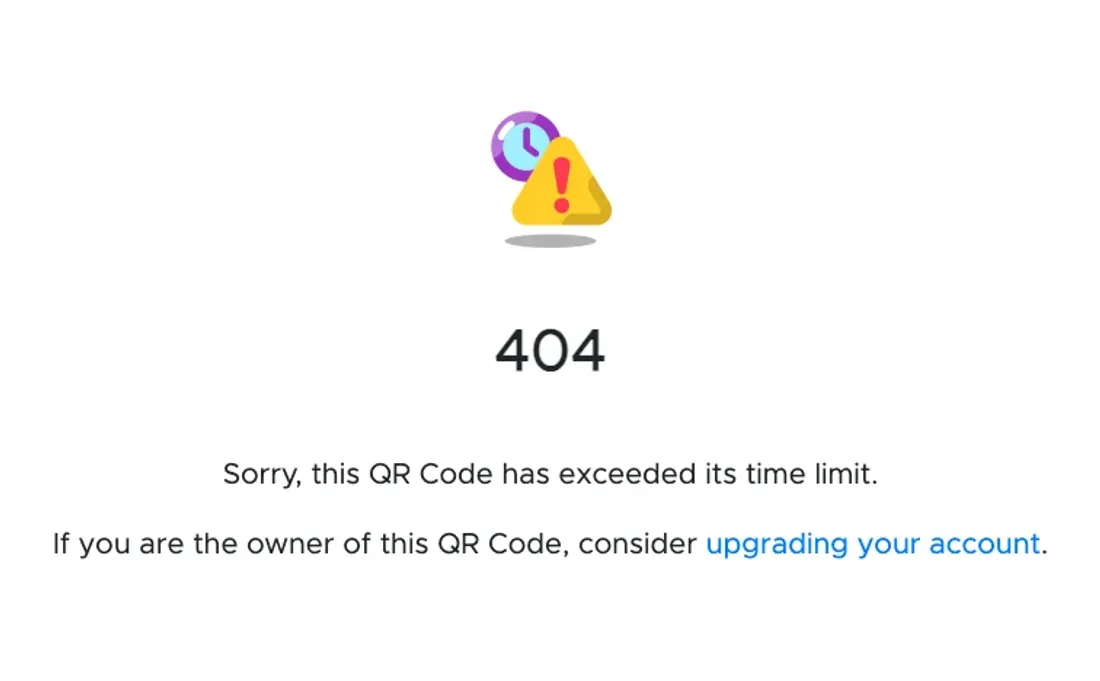
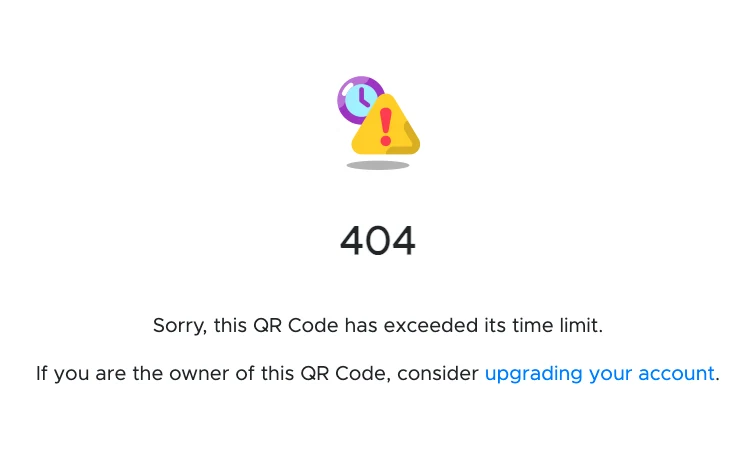
August 28 at 11:17 the redirect was gone, and qrs.ly/t1hgu6q now serves this
page instead.
So the FAQ was wrong twice, in opposite directions, and right in the way that matters. Enforcement ran late: the code outlived its stated 7-day window by between one and three days, which is worth recording since a vendor whose claims run harsher than its behavior is also misdescribing its product. But the outcome is exactly what this review warned about: the free download that was marketed next to the words “never expire” is now a dead end, on schedule, give or take a grace period.
The death page itself repays reading. It says 404 while being served with HTTP 200, so browsers and crawlers are told the page is fine while the human is told it is not. And it closes with “If you are the owner of this QR Code, consider upgrading your account.” Our code was created through the flow QRStuff advertises as “no sign-up”: there is no account to upgrade, and there never was one. The upsell on the corpse is addressed to someone the product made sure could not exist.
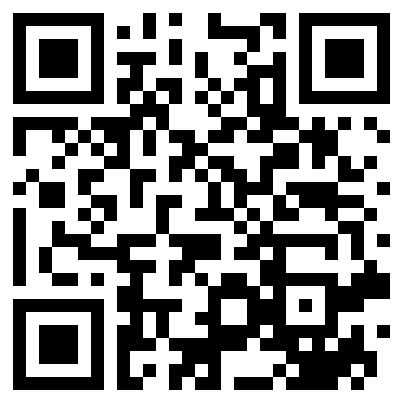
The watch continues: the ME-QR control code was still alive at day 15, the thirty-day pass runs September 12, and the QR image embedded above remains the actual specimen. Scanning it now demonstrates this section better than we can.
Verdict
QRStuff enters our ranking in last place, and the position is about the distance between its words and its behavior rather than its engineering. The platform is broad, the styling is real, GS1 Digital Link support is forward-looking, and the scan-data report is a genuine contribution. But every number the marketing leads with, free, no sign-up, unlimited scans, never expires, comes with a FAQ paragraph that takes it back, and the one product the free tier advertises is the one product an anonymous visitor cannot have. Teams on the $25 Full Suite, where the quotas finally stop, get a defensible tool. Everyone else gets a seven-day trial that never introduces itself as one. For a free code that stays yours, our free-tier guide lists tools that encode your URL, not theirs.